

OP 17 November, 2022 - 08:21 PM
(This post was last modified: 17 November, 2022 - 09:46 PM by SouljaBoy. Edited 2 times in total.)
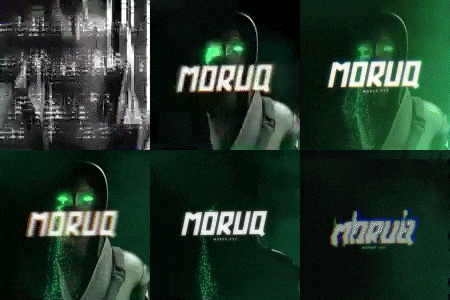
Equip Supreme ug then go to settings > custom css > create new stylesheet name it and paste code below, mark Use this stylesheet and press save. You will get OG username color and animation / from the eclipse ug (remake 1:1)
sorry for low quality of video i didint set up OBS
preview:https://vimeo.com/772160099
sorry for low quality of video i didint set up OBS
preview:https://vimeo.com/772160099
Code:
remake made by SouljaBoy


    .features_tborder td.trow1:nth-child(2):before, .supreme_rank {

    text-shadow: 0px 2px 5px #000;

    background: url(https://cracked.sh/images/onyx-bg.gif);

    color: #de5c33;

    -webkit-animation: colorchange 3s infinite alternate;

}

@-webkit-keyframes colorchange{0%{color:#852bff;text-shadow:0px 2px 5px #000}10%{color:#852bff;text-shadow:0px 2px 5px #000}20%{color:#852bff;text-shadow:0px 0 9px #090909}30%{color:#852bff;text-shadow:0px 2px 5px #000}40%{color:#852bff;text-shadow:0px 2px 5px #000}50%{color:#852bff;text-shadow:0px 2px 5px #000}60%{color:#852bff;text-shadow:0px 2px 5px #000}70%{color:#6f24d4;text-shadow:0px 2px 5px #000}80%{color:#531c9e;text-shadow:0px 2px 5px #1b1b1b}90%{color:#3e1477;text-shadow:0px 2px 5px #2f2f2f}100%{color:#140627;text-shadow:0px 2px 5px #2f2f2f}.onyx{text-shadow:0px 2px 5px #000;background:url(https://cracked.sh/images/onyx-bg.gif);color:#de5c33;-webkit-animation:colorchange 3s infinite alternate}



![[Image: hmAs2pU.gif]](https://i.imgur.com/hmAs2pU.gif)
![[Image: 912413114891382865.gif?size=22]](https://external-content.duckduckgo.com/iu/?u=https%3A%2F%2Fcdn.discordapp.com%2Femojis%2F912413114891382865.gif%3Fsize%3D22)


![[Image: Refunding-2.gif]](https://i.ibb.co/jP7Hs5ZY/Refunding-2.gif)
![[Image: jwGHBVl.gif]](https://i.imgur.com/jwGHBVl.gif)
![[Image: h6S8dGS.gif]](https://i.imgur.com/h6S8dGS.gif)